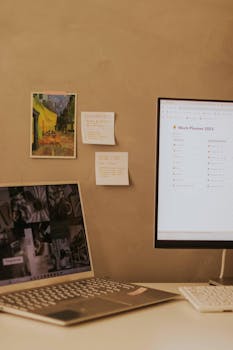
Picture your desk clear, your phone silent, and your mind focused as you move through tasks with less friction than last week. That’s achievable efficiency.
Everyone faces overloaded schedules and can feel caught up in frustrating busywork, but smart digital solutions offer a path forward. Organizing daily routines matters for more than just time savings.
Explore practical approaches in this guide to streamline work using smart tools, with real-world ideas you can use today for lower stress and visible results.
Establishing Consistent Digital Routines Boosts Momentum Every Day
Creating workable digital habits lets you start each day knowing what comes next. This section will help you introduce stability to your workflow for real progress.
Think of setting up your digital habits like drawing a map before a road trip—clarity reduces wrong turns. To streamline work using smart tools, set up workflows that encourage progress, not confusion.
Define a Repeatable Morning System
Begin with a notification sweep: check only high-priority messages before anything else. Next, open one productivity platform—not multiple tabs—and set your top three goals for the morning.
Many users say their day feels lighter when they begin this way. Consider scripting your first 30 minutes with reminders in your calendar tool.
Return to these habits daily, noting how streamlined you feel by tracking the number of task-switches required. Try tweaking your system each week for better consistency.
Block Time Strategically and Stick With It
Use time-blocking features in smart calendars to fill hours with specific tasks. For example, reserve 9–10 a.m. for project work, labeling your block “No Meetings—Writing Only.”
If teammates approach you during a block, reply, “I’ll be available at 10:00.” This routine helps you streamline work using smart tools by minimizing impulsive multitasking.
Track which blocks feel productive and which need tweaks, adjusting calendar colors and alerts to reflect your own patterns over time. Consistency turns chaos into calm productivity.
| Routine Tool | Main Benefit | Daily Usage Tip | What to Try Next |
|---|---|---|---|
| Digital Calendar | Structure your schedule | Set recurring events for routines | Add color-coded tasks for visual cues |
| Task Manager App | Capture and track tasks | Limit daily list to 5 items max | Review completed tasks every Friday |
| Email Filter Rules | Reduce distraction | Route newsletters to a designated folder | Unsubscribe during routine cleanups |
| Automation Service | Automate reminders | Set up recurring alerts for weekly reviews | Tune notification timing each month |
| Focus Timer | Maintain attention | Block 25-minute sprints, break for 5 | Increase sprint length as you adapt |
Prioritizing Tasks With Clarity Cuts Unnecessary Stress
Deciding what comes next in your day can shape the whole experience. Making priorities visible relieves overstimulation so you can streamline work using smart tools with more satisfaction.
Assigning each task a level of urgency prevents less pressing chores from crowding the top of your list and stirring up anxiety.
Integrate Easy Task Scoring for Fast Sorting
Give every new to-do a number from 1 (“must finish this morning”) to 5 (“do if nothing else is urgent”). Score them when you first add or review tasks.
This approach prevents key deliverables from slipping behind routine maintenance. Streamline work using smart tools by using built-in app tagging for task scores.
- Mark urgent work as top priority, using labels like “Today” or highlighter icons in your task manager for immediate visibility in your workflow.
- Batch similar tasks, grouping emails or calls together to minimize context switching for smoother focus and fewer mistakes, saving mental energy for more important work.
- Defer low-value items to a weekend review list, so you only see decision-heavy to-dos during your regular work week, minimizing cognitive clutter.
- Check progress with a single end-of-day ritual: highlight one win, remove one unnecessary task, and note one new task added—ensuring your system stays tuned to your needs.
- Build in weekly reflection sessions to notice trends—if one type of task always causes frustration, automate it or block time for it at low-stress points.
Editing your priorities with consistency will let your tools do the work, rather than becoming another thing to babysit.
Batch Routine Maintenance for Less Distraction
Reserve a single hour mid-week for “routine admin”—bills, inbox clean-up, or document filing—and use checklists to avoid forgetting steps or chasing loose ends.
This creates a strong boundary between productive work and ongoing maintenance. Streamline work using smart tools by turning these routines into automatic reminders and batch operations.
- Schedule online bill pays for Tuesday mornings, so it becomes routine and you avoid last-minute rushes or late fees from scattered reminders.
- Star messages requiring follow-up; process all starred items in one afternoon slot, keeping your main inbox distraction-free for essential communications only.
- Save template replies for routine inquiries—like schedule confirmations—so you paste responses instead of retyping, gaining back valuable minutes each week.
- Create one smart folder for receipts and warranties, automating uploads via your phone camera or scanner tool to centralize paperwork in just a few taps.
- Reserve Friday afternoons for progress reviews: assess which habits worked, which tools saved the most time, and set small improvements for the next week.
Batching these tasks will strengthen your workflow so your focus stays where it belongs.
Making Collaboration Tool Choices Streamlined for Team Results
Setting ground rules for team tool use can minimize confusion and boost momentum. When everyone knows where to share files or messages, projects move faster.
If your team agrees “We’ll post project links in Channel A and decisions in Thread B,” you avoid spiraling searches and lost updates—pressure on memory drops immediately.
Decide Your File Home Base
Create one shared folder in your chosen cloud tool. Require new files to land there by naming convention (e.g., “Project-Name_Version_Date”). Share links, not attachments, to avoid confusion.
When chatting, refer to files directly (“See the Project-Name doc, version 2.1, in ‘Active Projects’”), keeping everyone on the same page without guessing.
Streamline work using smart tools by updating permissions once a week—remove stale editors and invite new project members—so there’s no interruption or awkward requests mid-task.
Clarify Communication Channels and Roles
Set defined channels for fast troubleshooting. Post all roadblocks to “#Support”—never private message unless absolutely urgent. Reward team members who answer with a shared “Wins” list.
Share a team charter (“Post standup updates by 9 a.m.,” “Tag only urgent requests with @all”). Reinforce these habits in meetings and with brief, actionable reminders.
Monitor tool notifications for “new feature” alerts; introduce useful updates during a Friday “App 2-Minute Tour,” which helps unify everyone’s workflow.
Taming Notifications and Alerts Without Missing Key Updates
Manage notifications by sorting them into categories: urgent, important, and ignorable. Reducing your notification flood supports efforts to streamline work using smart tools and prevents overload.
Rather than react to every ping, design your alert settings to line up with your priorities and keep focus on what matters.
Turn Off Default Alerts, Then Add Back Only What You Need
Start by switching all notifications off in your productivity and messaging apps. Wait one workday, then turn back on only what you missed or absolutely need to respond to.
Notice your stress cues—shallow breathing or glancing at your phone repeatedly—and ask if each restored alert brings necessary value. Continue to streamline work using smart tools by questioning any essential alerts every Friday.
Encourage teammates and family to call or schedule a chat for true emergencies, instead of relying on messages or group notifications for urgent issues.
Create Custom Notification Schedules
Schedule “notification checks” mid-morning and late afternoon, so you process updates in batches. This rhythm keeps you available but not glued to your devices.
Add calendar events titled “Review notifications.” Check messages in this window, mark non-urgent ones to review later, and flag actionable ones on the spot.
If a tool’s settings let you group or snooze non-critical alerts, use that feature religiously, and train yourself to trust your system over the fear of missing out.
Integrating Automation for Repetitive Digital Processes
Automation handles repetitive routines—sending reminders, converting documents, or scheduling updates—leaving you more bandwidth. This is key for anyone aiming to streamline work using smart tools and reclaim hours each week.
Think of automation as a conveyor belt: after setup, tasks move along without your effort. Use it for tasks you mentally check off more than once per week.
Set Up Simple Automation Recipes
Link task manager with calendar so that adding a deadline auto-creates a calendar block. For example, “When task status is ‘due soon,’ calendar adds block at 2 p.m.”
Automate recurring meeting reminders, birthday greetings, or even routine reports. Add a test run: “If report doesn’t generate, get a single alert to fix it.”
Revise recipes after each workflow change; weekly reviews ensure old automations don’t create surprises or unnecessary steps for the team.
Track Automation Outcomes for Continual Improvement
Each week, list which automations saved five or more minutes. File requests like, “Can I automate this?” for any process creating bottlenecks, and share results with your team.
Encourage everyone to keep an “automation journal”—just a running log of what works and what causes confusion. Streamline work using smart tools while staying flexible.
Compare month-over-month data on routine completions and flagged errors, so you see clearly whether automations help—or if they need adjustment before becoming a time sink.
Sustaining Productivity With Periodic Checkups and Adjustments
Set a recurring review at the end of each week to audit your digital processes, ensuring that you continue to streamline work using smart tools efficiently.
This regular checkup helps you stay on track, catching small roadblocks or outdated habits before they snowball into wasted hours.
Conduct a Five-Minute Workflow Audit
Review your task list and completed projects every Friday. Feel for friction spots—tasks carrying over repeatedly or tools you dread using—and note these for the next improvement sprint.
Ask yourself: “Which tool felt cumbersome, and which let me move fast?” Swap out or update settings the following Monday.
Continue this habit by adding audit reminders to your calendar. Over time, you’ll develop sharper instincts for what actually helps streamline work using smart tools in your setup.
Level Up Your System With Shared Insights
Meet with a peer or teammate to exchange best practices once each month. Shine a spotlight on one tool or workflow tweak that noticeably improved results.
Bring questions about roadblocks and invite honest feedback on your current setup. Sometimes outside eyes catch bottlenecks or redundancies faster than personal reviews.
Finish by agreeing on one change to test together the following week. This mutual accountability sharpens follow-through and brings steady gains in streamlining work using smart tools.
Moving Forward With Streamlined Digital Workflows
Smart tool adoption isn’t a one-and-done exercise; it’s a flexible approach to building smoother routines. Prioritizing routines, task clarity, and regular reviews can make workdays feel lighter and more productive.
Recapping the journey, each step—from managing notifications to automating boring chores—demonstrates how to streamline work using smart tools in a tangible, sustainable way.
End each week choosing one habit to tweak, one tool to simplify, and one insight to share. That’s how sustainable progress becomes your new normal for streamlined work.